Picture two hospitals on the same busy morning. In the first, patients crowd the front desk, names are called across a noisy room, and nobody knows how long the wait will be. In the second, patients check in within seconds, relax wherever they like, and receive a message when it is nearly their turn. The care behind both doors may be equally good. The experience is not.
The difference is often a hospital queue management system (QMS). But what does one actually do, from the moment a patient arrives to the moment they leave? Here is a clear, step-by-step look at how it works.
Step 1: Smart Check-In
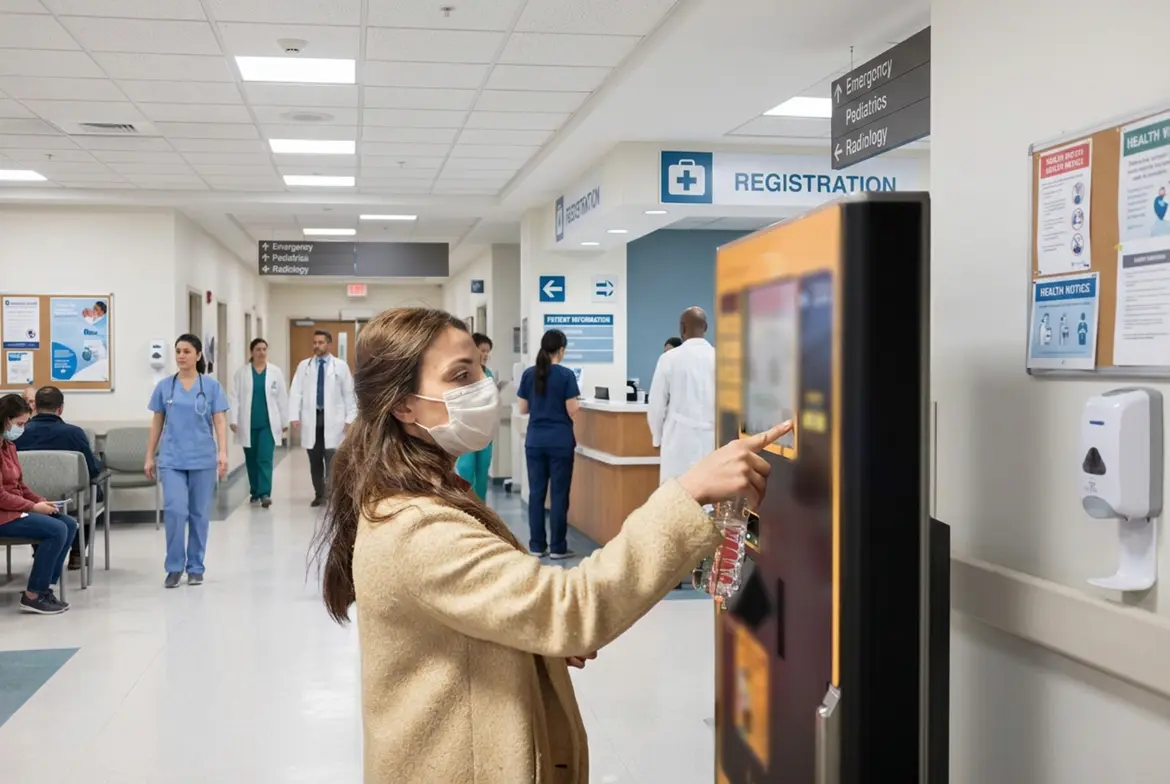
Everything starts at the door, or even before it. Patients check in through a self-service kiosk, a mobile device, or with a receptionist. They select the service they need, such as consultation, laboratory, radiology, or pharmacy, and the system generates a digital ticket.
This single step removes the first bottleneck. Instead of one person at a desk handling every arrival, check-in is spread across multiple channels. Patients feel in control from the first minute, and staff can focus on those who need personal assistance.
Step 2: Intelligent Routing and Prioritisation
Once a ticket is created, the system decides where it belongs. A good QMS does far more than line people up in arrival order. It routes each patient to the correct queue, department or counter, and applies the rules your hospital sets.
Those rules can reflect appointment times, clinical urgency, elderly or disabled patients, VIP services, or follow-up visits. The result is a queue that is fair, consistent, and defensible. When a patient asks why someone else was called first, staff have a clear, system-backed answer instead of an improvised one.
Step 3: Virtual Queuing
With virtual queuing, patients do not need to stand or sit in the waiting area. They can track their position remotely, step outside, grab a coffee, or wait in the car. That means less crowding in corridors, a calmer atmosphere, and fewer walk-outs, because patients trust their place is secure. For hospitals where space is limited, this alone can change daily operations.
Step 4: Real-Time Updates and Notifications
Much of the frustration in healthcare comes from not knowing. A QMS addresses this by communicating automatically. Patients see their place in line, receive estimated wait times, and are notified when they are about to be called. Digital displays in the waiting area show current numbers and counters, reducing the need to ask.
Staff benefits too. Live dashboards show who is waiting, for which service, and for how long, so teams can respond before a small delay becomes a long line.
Step 5: Calling and Service
When a clinician or counter is ready, they call the next patient with one click. The system announces the ticket on screens, through audio or via notification, and directs the patient to the right room or desk.
Behind the scenes, the system records when the patient arrived, when they were called, and how long the service took. It is a small action that creates a powerful record.
Step 6: Transfers and Multi-Stage Journeys
Hospital visits rarely involve a single stop. A patient may see a doctor, then go for a blood test, then collect medication. A capable QMS lets staff transfer patients between services without sending them back to the start of a new queue.
This continuity keeps the journey smooth, prevents repeated waiting, and gives leaders a view of the full patient path rather than isolated fragments.
Step 7: Analytics and Continuous Improvement
Every step above produces data. An analytics dashboard turns it into insight: average wait times, peak hours, service durations, no-show patterns, and staff workload across departments.
This is where a QMS shifts from a convenience to a strategic tool. Instead of guessing why Mondays feel chaotic, you can see it. Instead of adding staff by instinct, you can place them where demand actually occurs. Improvement becomes a daily habit, not an annual project.
What to Look for When Choosing a System
On a feature list, many queue management systems look alike. The differences appear in daily use, so ask:
- Does the provider supply both hardware and software, or will you manage several vendors?
- Can patients queue remotely and receive live updates?
- Can priority rules be tailored to your hospital?
- Does the analytics lead to action, not just reports?
- Is it built for healthcare workflows, with room to grow?
Zuna QMS is designed to cover each of these steps in one connected system, with kiosks, displays, and software from a single provider, so one team stands behind the whole journey.
See It in Action
A queue management system is easiest to judge when you can see the whole journey, from first tap to final consultation. Book an appointment with the Zuna team and see how each step would work in your hospital.